
6 Free Tools for Testing Website Speed
Website speed is something crucial to any page, specially if you consider that users don’t like slow sites and don’t want to wait more than a couple seconds for a page to load. From regular users to high-end ones, no one like to wait too much to see the content they are looking for. And from niche blogs to ecommerce sites, all users have the same expectations, that your page will be fast enough to avoid frustration.
The Rising Trend of Dynamic Expandable Search Fields
Anybody who follows web design trends will know about expanding search fields. These are typically small input boxes or magnifying glass icons which grow in size whenever given focus. As the user de-focuses off the element it’ll usually retract back to the compressed form.
I love this idea because it saves a lot of room on the page, and it works the same for most any website. Most people browsing the web have developed a sense of understanding for how these expandable search fields behave. In this article I want to cover some more unique design styles for building dynamic search forms. As trends evolve I expect to see more of these search boxes in the coming months and years.
Things you can do to Improve Page Load Times
Loading speeds can certainly make or break a website. In times where users are overload with options, they don’t want to wait too much for a page to load. And by too much I’m referring to about 2 to 3 seconds. Websites should be fast and optimized to better load so that the user don’t have time to think about leaving the page until it loads. If you page takes more than 6 to 7 seconds to load, chances are you are already loosing users. Fast pages lead to lower bounce rates, better retention, higher engagement and better conversions. So before risking loosing users because your page is not up to expectations, check out some things you can do to improve page load times.
Inky Deals Massive Design Library & 630 Premium Vector Illustrations worth $8,228 – Just $59 (sponsored)
About Inky Deals
Inky Deals is one of the leading deals websites in the design community, with an extended family of more than 300,000 design enthusiasts. It’s the place to go if you want to buy premium resources at unbeatable prices, whether you’re a graphic or web designer, developer, or business owner looking to improve yourself and your work. They’re the only ones who offer a 200% money back guarantee on every product. This means that if you’re not happy with it, you get your money back and you also get to keep the product.
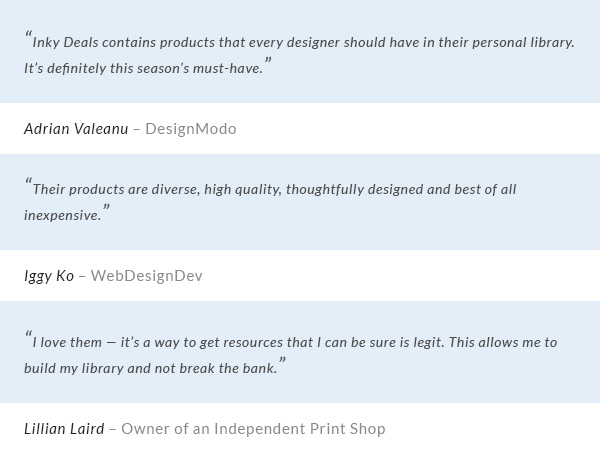
Testimonials
Lean UX – How to Apply Lean Principles to User Experience Design
The process of putting together a good user experience design has always been talked about as a deliverables-based practice where bureaucracy, specification documents, wireframes, mockups and site maps took the center stage. This deliverable based practice, meaning that everything, each step of the process, has to be delivered with proper timing and documentation, witch often demands a lot of time and creates a lot of waste (something that won’t be used in the working product). Fast forward to times where the web changes quickly than we would like to, and times where we have to make sure our users get what they need, and the process of ux design has to evolve too. Enter the Lean UX practice, which allow us to remove waste from the UX design process while letting designers focus on what works instead of having them worrying about features and documents.
26 Web Design Tutorials for Learning New CSS3 Properties
Over the past few years a number of prominent CSS3 tutorials have been published online. These are perfect for beginners who don’t have a lot of experience coding webpages. But developers who do have that experience may also find the more detailed articles quite insightful.
Take a look over this collection of posts related to newer CSS3 properties. There may be some you’re already familiar with, and others that you’ve never even heard about before. CSS3 provides developers with many different solutions used to solve individual problems. Also if you know any other great posts I’ve forgotten you can share with us in the post discussion area.
CSS3 Box Shadow Effects

The Importance of Breadcrumbs in e-Commerce Website Design
Breadcrumbs, or breadcrumb navigation, is a type of navigation that shows the user’s location in a website. They are horizontally arranged text links separated usually by the “greater than” symbol (>) which will show where the user is based in the hierarchy of the site. The term breadcrumbs comes from the tale Hansel and Gretel, where Hansel and Gretel leave a trail of breadcrumbs to find their way back home. Just like the real breadcrumbs that were suppose to help the kids to find their way home, breadcrumbs in web design help the users to find their way around a website.
26 Examples of Fullscreen Video Backgrounds in Web Design
The notable trend of fullscreen media has exploded on the web. Images require less bandwidth and also provide a means for rotating backgrounds. However videos provide a very rich user experience – they provide something to immediately captivate the visitor and draw them deeper into a website.
Online creative studios and digital agencies often utilize fullscreen video backgrounds to convey a small piece of their message. This gallery is focused on 26 prime examples of websites utilizing fullscreen videos. Some are built using Adobe Flash while others are embedded using JavaScript. Either way these video effects are unique, enlivening, and definitely on the rise amongst modern-day web designers.
August
